
Hiring a Remote Colourist? 8 Questions Producers should ask
A guide for commercial producers hiring a remote colourist for the first time, or for the first time outside of a traditional post-house. Covers what to look for, what to ask, and what to know about technical setup, data security, remote collaboration tools, client viewing conditions, QC, and delivery responsibility. Eight questions that don't always get asked, but should.
So, you’ve decided to grade your film remotely. Good choice.
Remote colour grading has never been better. The tools are excellent, the workflows are proven, and the talent pool is no longer limited to whoever happens to be within travelling distance. Hiring an independent colourist also means knowing exactly who you're getting every time - no being bounced around between whoever's available at a larger facility.
But hiring independently also means the usual institutional reassurances aren't there. No famous name above the door. No swanky reception desk with walls lined with awards. No implicit quality guarantee that comes with an established brand. The burden of proof sits with the individual, which means the burden of asking the right questions sits with you.
Asking to see a showreel is the starting point. Everything else on this list is how the gap gets closed.
Short on time? Get in touch with us to discuss your project directly.
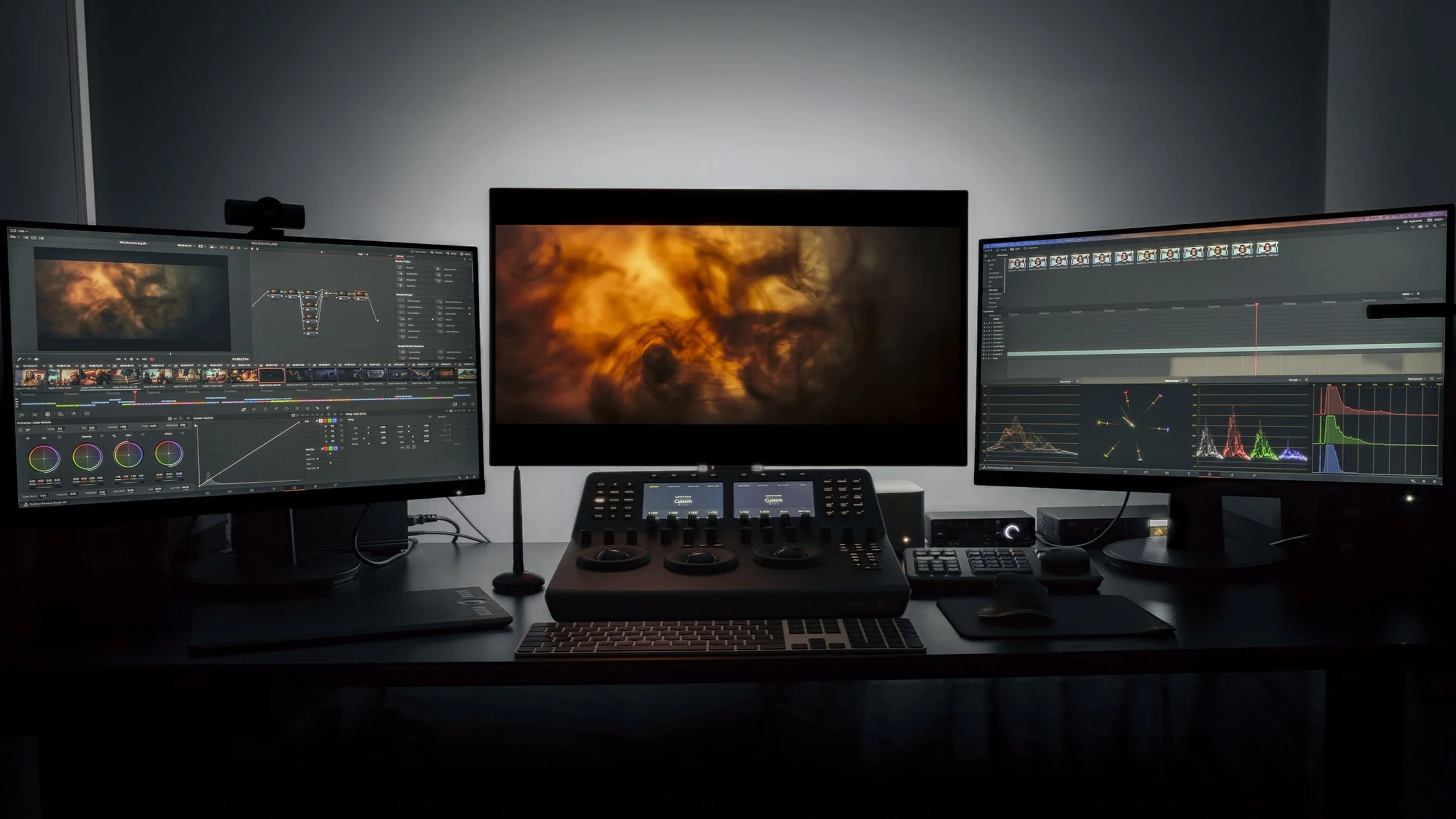
1. Can you walk me through your grading setup - monitor, hardware, viewing environment?
This is where things get specific, and you should not be shy about asking. A calibrated, broadcast-grade monitor is non-negotiable. So is a controlled viewing environment - proper lighting bias, neutral wall colour - because what they see is what you get. Hardware matters too. You don't want to be paying day or hourly rates while footage caches slowly on an underpowered machine, or worse, on a laptop. A professional colourist working at a professional level should have a setup that reflects that, and should be happy to tell you about it. The beauty of a remote setup is that one can do away with swanky client aesthetics and expensive rent in Soho - however the hardware and software is still paramount.
2. How do you handle project backup and data security?
This one doesn't come up enough. Your footage, your edits, and your client's brand assets are sitting on someone else's system. Are they backed up properly? Is there a risk of data loss mid-project? And given the value of commercial content - some of which is embargoed, unreleased, or highly confidential - what protections are in place against cybertheft or unauthorised access? A professional remote colourist should have clear answers to all of this.
It would be overkill to expect the same robust IT standards as large corporations - the resources just aren’t there. However, there are many practical steps that a small studio can take to provide ample security for themselves and their clients.
3. What review platforms do you use, and do you offer live-grading sessions?
Let's be honest: one of the great pleasures of a traditional grade was being in the room (and ordering sushi). That energy is genuinely hard to replicate, and on certain jobs, it still matters enough to be worth travelling for.
But for the majority of work, remote can be just as good, and in some ways better - if the right systems are in place. The bare minimum is an asynchronous review platform. Frame.io is the industry standard: your team can leave timestamped notes, compare versions, and keep a clear approval trail without anyone needing to be online at the same time. That alone is a significant upgrade on emailing QuickTimes back and forth.
Better still is combining that with live remote grading sessions via a proper streaming service - Evercast or Louper are built specifically for this, with colour-accurate, low-latency streams designed for critical viewing. (Microsoft Teams is not. Please don't.) At Distance Colour Studios, we specifically chose Louper as it combines both accurate colour streaming and async review into one simple platform.
Together, this is arguably a more powerful setup than a traditional suite. Every stakeholder - agency, client, director, brand - can review at their own convenience, without the time pressure of a booked session. And when decisions need to be made together, you can make them in real time, from anywhere.
4. How do we stay in touch throughout the project?
In a traditional post-house setup, a post producer sits between you and the colourist - managing the schedule, relaying feedback, keeping things moving. When you go remote, that layer disappears. Which is mostly a good thing: you're dealing directly with the artist, there's no telephone game, and decisions move faster.
But it only works if your colourist communicates well. Prompt responses, clear updates, proactive flagging of issues - when there's no post producer in the middle, these things fall entirely on the colourist. A day of silence mid-project might mean everything is fine - especially if they’re in another booked session. Two days with a deadline approaching can be a problem.
The best remote colourists understand this, and treat communication as part of the job rather than an interruption to it. You should feel informed without having to chase - and if you do have to chase, that tells you something worth knowing early.
5. How can we make sure what we’re viewing looks the same on our screens?
You've approved the grade. It looked great in the review session. Then the client watches it on their laptop in a sunlit office and asks why it looks so dark!
Welcome to one of the newest headaches in post production.
The good news is that it's largely manageable with the right guidance, and a good remote colourist will have dealt with this enough times to know exactly what to tell your team. The basics - screen choice, viewing environment, a few simple settings - make a significant difference, and none of it requires a technical background to follow.
We've put together a remote viewing guide you can send directly to your team and client before reviews begin.
6. What can we expect from you at the delivery stage?
There's more to delivery than a file format and a WeTransfer link - and it's worth knowing exactly what you're getting.
At a traditional post-house, QC and technical delivery are often bundled into the same process, and it's easy to assume the same applies when hiring independently. A remote colourist's QC is typically focused on the grade itself: checking that renders are clean, that no glitches or artefacts have crept in, that travelling masks haven't misbehaved, and that the final export matches exactly what was approved
Broadcast compliance and final technical delivery, however, are usually handled downstream - by a finishing house, or the broadcaster's own pipeline. A remote colourist delivering ProRes 4444 or DPX is handing off a VFX-ready master; what happens to it after that is a separate conversation, with separate people.
None of this is a red flag - it's just how the workflow is structured. The key is knowing it in advance, so nobody's surprised at delivery.
7. Can we have a call before we start?
The best colourist relationships are built over time, and they're built on more than good grades.
In a traditional suite, that relationship formed naturally. You spent hours in a dark room together, you had opinions about each other's music taste, you developed a shorthand. Remotely, that doesn't happen by accident, it has to be a little more deliberate.
It's worth getting on a call before you commit. Not a formal pitch, just a conversation. You'll learn quickly whether someone is easy to talk to, whether they ask good questions, whether they seem genuinely interested in the project or just the booking. Chemistry is harder to assess remotely, but it's still assessable.
And once the job is underway, keep them in the loop. Share the edit context, tell them about the client, let them know if the brief shifts or the mood board has evolved. A colourist who understands the full picture of a project will always do better work than one who's handed a sequence and left to guess. The more they feel like a collaborator rather than a contractor, the more invested they'll be.
8. How can I send you footage? And who’s responsible for the conform?
Getting camera rushes to a remote colourist is straightforward, and there are more options than ever. Hard drives by courier still work for large jobs where time allows. Cloud transfer services like MASV or Smash handle most situations well - fast, reliable, and built for large file sizes. Some colourists will have their own upload portal and can simply send you a link. If your company already uses a cloud collaboration platform internally, that may work too. Ask what they recommend - the right answer usually depends on how much data you're sending and how quickly you need it there.
One practical tip worth following regardless of method: send only the files that are actually needed for the grade, not the entire shoot. It saves time, reduces transfer costs, and keeps things clean on both ends.
As for the conform - like most colourists, a remote colourist will need to conform the edit before grading begins. What that covers is worth discussing upfront, however. Straightforward conforms are standard. Complex editorial - speed effects, resize animation, intricate compositing - is finishing work, and finishing rates are different from grading rates. A good remote colourist will flag this early rather than silently absorbing time that should belong elsewhere in your post pipeline.
The Short Version
An independent remote colourist has to earn your confidence in a way that a post-house with a famous name doesn't. The good news is that the best ones know this - and they've built their setups, their workflows, and their communication habits accordingly.
Not every question here will apply to every job, and not every answer will mean something to every producer. But even one or two of the right conversations - about setup, about process, about how someone communicates - can tell you a lot about whether you're handing your film to the right person.
Have we missed a question you want answered? Or want to know how Distance Colour Studios works? Reach out here.
